

Quick answer
AI workflow automation connects apps to run multi-step routine work, with AI handling steps that need judgment; rule-based automation follows fixed instructions, while assistants are often reactive and human-prompted. AI workflow automation for your small business means choosing a repeatable task, testing a suitable tool, and measuring the result. For example, Make.com is listed with a free tier and paid plans starting around $9 per month.
Key numbers
- AI workflow automation runs a multi-step job with a model handling steps that require judgment.
- Data entry, scheduling, follow-up emails, report generation, and invoice processing are identified as automation targets.
- Make.com is listed with a free tier and paid plans starting around $9 per month.
- A source recommends tracking time saved, errors avoided, and money earned or saved when measuring automation ROI.
The short version
- Prioritize tasks that repeat, consume meaningful time, and carry a cost if missed.
- Start with a simple trigger-to-action workflow and add complexity only after it’s stable.
- Test with dummy data, monitor logs, and keep human approval at steps requiring judgment.
- Measure time saved, errors avoided, and money earned or saved before expanding a pilot.
AI Workflow Automation for Small Businesses: Where to Start?
AI workflow automation is a multi-step process in which software handles routine work and AI can handle steps that require judgment. For small businesses, it can connect SaaS applications to move repetitive administrative work along with little or no human input. Getting started with automation is a practical question when manual handoffs between apps are slowing routine work.
Rule-based automation follows fixed instructions, while AI workflows can make decisions using context such as customer behavior or timing. Assistants are often reactive and human-prompted, answering questions or handling one task at a time. A workflow follows defined steps; an agent receives a goal and chooses steps, tools, or replies to pursue it.
AI workflow automation for Small Businesses: Where to Start also means deciding where judgment belongs, rather than adding AI to every step. Start by seeing which processes cross apps and where a contextual decision is actually needed. AI workflow automation is about fitting the method to the work.

Get workflow automation done for you
Which small-business tasks should I automate first?
Start with frequent work that repeats the same steps, takes meaningful time, and has a cost if it’s missed. Data entry, scheduling, follow-up emails, report generation, and invoice processing are examples of repetitive tasks suited to automation. Your first AI workflow works best when you pick a task with a clear pattern and visible impact.
Lead capture is a useful example: a workflow can send an inquiry to a CRM, create a record, send a confirmation, assign a follow-up task, or alert a team member. Lead-management steps can also capture contact data, qualify leads, add tags, and notify the team. Document field extraction is one AI-supported data-entry use case.
For stable, high-volume work with few variables, rule-based automation may be the simpler fit. Compare candidates by frequency, time saved, error reduction, and likely business impact; repetition and measurable return are useful screening signals. AI workflow automation for your small business means testing a small number of candidates against those checks, not automating everything at once. Getting started with automation should begin with the process where those measures matter most.

How do I choose between an all-in-one platform, a connector, an AI agent, and custom code?
Choose based on the process, the person building it, and how much flexibility the workflow needs. An all-in-one CRM can capture leads, text them back, book appointments, and track contacts. AI workflow automation includes matching the tool to those existing needs rather than adding unnecessary complexity.
| Approach | Useful fit | Trade-off |
|---|---|---|
| All-in-one CRM | Common lead and contact tasks | Recommended as a starting point for many small businesses |
| Connectors and workflow builders | Connect apps and trigger actions | Zapier is described as easier to learn; Make offers more advanced branching, while n8n can suit users willing to accept more technical complexity |
| AI agents | Multi-step work that may need memory, reasoning, or coordination | More autonomy than a fixed workflow |
| Custom code | Control over logic, data, and design | Requires time, cost, and ongoing maintenance |
A short decision may need only a model call; an agent may suit work requiring memory, reasoning, or coordination across systems. Your first AI workflow is simpler when the tool fits your budget and technical comfort. AI workflow automation for your small business should favor the least complex option that meets the need.

Browse top-rated workflow automation freelancers
How do I map and build my first automated workflow?
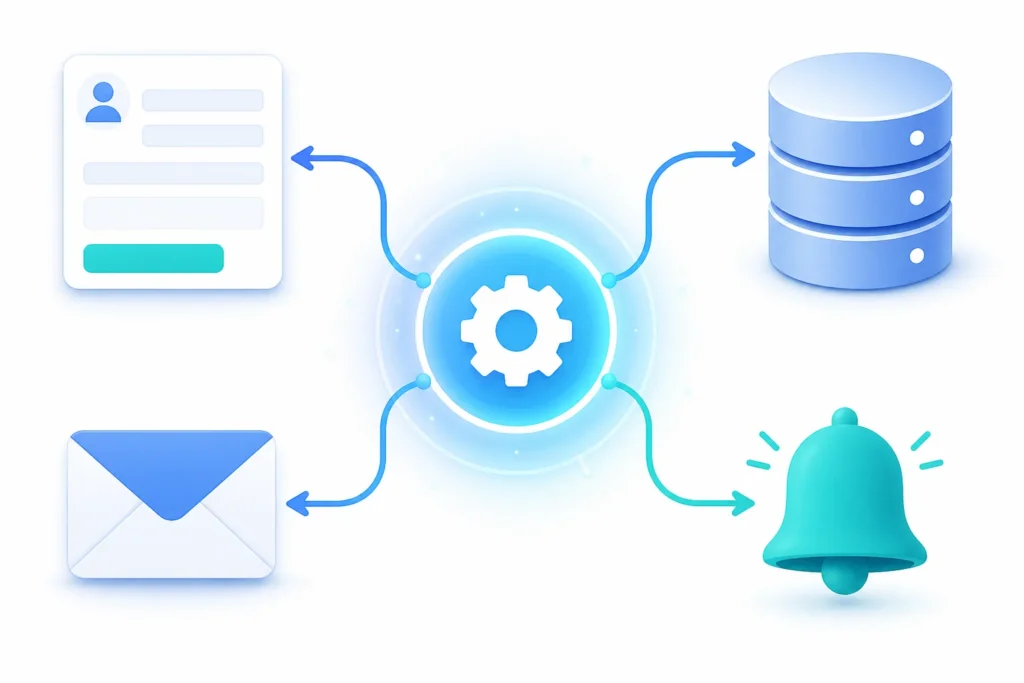
A first workflow should turn a mapped manual process into a trigger, any needed processing, and a final action. Getting started with automation is easiest to test when the pilot handles one repetitive process. A workflow can consist of a trigger, actions, and optional AI steps between them.
- Map the manual process and mark each repetitive step.
- Choose a trigger, such as a new inquiry.
- Add processing steps, such as creating a CRM record or qualifying a lead.
- Specify the action: send a confirmation email, assign a follow-up task, or notify a team member.
- Test the workflow before adding more complexity.
Make.com scenarios connect apps by performing an action in one app when something happens in another. Zapier describes a Zap as a series of triggers and actions connecting apps, while Make scenarios can link apps through modules. Start with a simple trigger-to-action workflow, then add complexity after it’s live and stable. Test with real data, verify each step, and monitor run history after activation. AI workflow automation should include checking results, not just switching the workflow on. Your first AI workflow is a pilot you can inspect and improve.
What do automation tools, setup, and maintenance typically cost?
Automation costs depend on the tools and workflow complexity; many discussed tools are SaaS products that can be set up without a developer. AI workflow automation for your small business should include checking both plan limits and any technical support the setup needs.
Published plan examples vary: Make is listed with a free tier and paid plans starting around $9 monthly, while another source lists its Core plan at $12. One source lists Make’s free plan at up to 1,000 operations monthly and Zapier’s at up to tasks monthly with five single-step Zaps. The ledger also lists Zapier paid plans from $19.99, Pabbly Connect from $16, and n8n free when self-hosted; n8n cloud plans are listed from €20.
Self-hosting n8n and deeper AI or custom setups can require technical support. The ledger doesn’t establish typical freelancer build prices or standard setup timeframes. One source’s beginner-process example estimates about one hour and $0; it isn’t a general estimate. One source recommends ten minutes of weekly maintenance because apps and steps can change. Getting started with automation means checking your actual plan limits. AI workflow automation has no universal setup price.

Compare workflow automation pros
What privacy, security, and error risks should I plan for?
Workflow failures can come from duplicate CRM fields, inconsistent inputs, or apps that don’t sync properly. Your first AI workflow should include safeguards for bad inputs and broken integrations before a workflow handles live work.
Test with dummy data before launch, check automation logs, set error alerts, and monitor whether each step completes as expected. Keep a person involved where judgment matters: review AI-generated drafts before publishing and use human approvals or overrides at critical steps.
Audit trails with timestamps and user tracking, alongside regular workflow review, are governance measures described by a source. These claims support controls and monitoring, but they don’t establish a complete privacy, access-control, or regulatory checklist for every business. Check the selected tools’ specific requirements before connecting business data. AI workflow automation for your small business should account for the consequences of an incorrect action. Getting started with automation needs a fallback plan for failures, not just a successful test.
How do I measure results and decide whether to expand or hire help?
Evaluate a pilot by tracking time saved, errors avoided, accuracy, and money earned or saved. AI workflow automation should come back to those measures before you expand the workflow.
One source illustrates the comparison with a $50-per-month tool that saves four hours a week at $25 per hour, and says the savings cover the tool in about three days; treat that as an example, not a guaranteed result. Another source reports a payroll journal-entry process producing a QuickBooks-ready entry in four seconds, replacing a former three-hour process; that result is source-specific, not a typical outcome.
Expand only after the workflow works and its results are monitored; check run history and activity notifications for completions or errors. Professional help may suit workflows involving billing or customer data, several systems, or reliable error handling. The ledger doesn’t provide standard freelancer rates, so there’s no supported typical implementer price to quote. Your first AI workflow means using evidence from your pilot to decide whether to continue. AI workflow automation for your small business can also mean getting specialist help when complexity warrants it.
Watch: a quick walkthrough
See workflow automation prices and reviews
| Platform | Free offering | Paid offering |
|---|---|---|
| Make | a free tier; a free tier with 1,000 credits per month; a free plan as including… | paid plans starting around $9 per month; a Core plan starting at $12 per month… |
| Zapier | a free plan; a free plan as allowing up to tasks per month with five… | paid plans from $19.99 per month |
| n8n | free when self-hosted; a free self-hosted community edition | cloud plans from €20 per month |
| Pabbly Connect | — | from $16 per month |
| Platform | Workflow capability stated |
|---|---|
| Make.com | visually create workflow logic paths without writing code; branching logic and… |
| n8n | connecting language models, memory, and tools with logic and error handling |
| Zapier Agents | watch for triggers and take actions across thousands of connected apps |
| Approach | Useful fit | Trade-off |
|---|---|---|
| All-in-one CRM | Common lead and contact tasks | Suggested as a starting point for many small businesses |
| Connectors and workflow builders | Connect apps and trigger actions | Zapier is described as easier to learn; Make offers more advanced customization; n8n can involve more complexity |
| AI agents | Multi-step work that may require memory, reasoning, or coordination | Receive a goal and choose steps or tools |
| Custom code | Control over logic, data, and design | Requires time, cost, and ongoing maintenance |
Questions teams ask us
What does AI workflow automation do?
AI workflow automation connects apps to complete multi-step repetitive tasks, with AI handling steps that call for judgment, such as writing replies or categorizing leads.
Which small-business tasks should I automate first?
A task is a strong candidate when it happens frequently, repeats the same steps, takes meaningful time, and could cost a customer if missed.
How much does workflow automation software cost?
Make.com’s listed examples include a free tier and paid plans starting around $9 per month, while another source lists its Core plan at $12 per month.
How can I reduce automation errors and risks?
Test with dummy data, check logs, set error alerts, and keep human review at steps that need judgment or approval.
